McAfee DriveSafe
Teen driver safety app
A parental application that helps parents of teenage drivers control which mobile apps can be used while driving — keeping teens safe by automatically blocking distractions.
The Challenge
Distracted driving is one of the leading causes of accidents among teenage drivers. Despite parents' concerns, enforcing phone restrictions while teens are behind the wheel is nearly impossible without a technical solution — and existing parental control apps were too complex, too broad, or too easy to bypass.
The Solution
DriveSafe gives parents a simple way to define a safe app allowlist — GPS and essential apps stay available, everything else is automatically blocked the moment driving is detected. The setup is quick, the driving-mode lock is automatic, and the experience is designed for minimal interaction while on the road.
The Impact
- Reduced distracted driving risk for teenage drivers
- Parents can configure safe apps in minutes with a guided setup
- Automatic driving detection — no manual activation required
- PIN-protected lock screen prevents teens from bypassing restrictions
Research & Discovery
I conducted parent and teen driver interviews to understand how distracted driving happens in practice — what apps get used, when, and why — and what made existing solutions feel too invasive or too easy to ignore.
“I don't want to take their phone away entirely — I just want to know that when they're driving, the distracting apps are off.”
— Parent Research · Key Insight from Interviews
Design Process
01Research & Interviews
I interviewed parents of teenage drivers and teens themselves to understand the problem from both sides. Parents wanted control without conflict — a solution that worked automatically and didn't require constant enforcement. Teens were more receptive than expected, particularly when GPS and music stayed accessible.
02Wireframes & App Logic
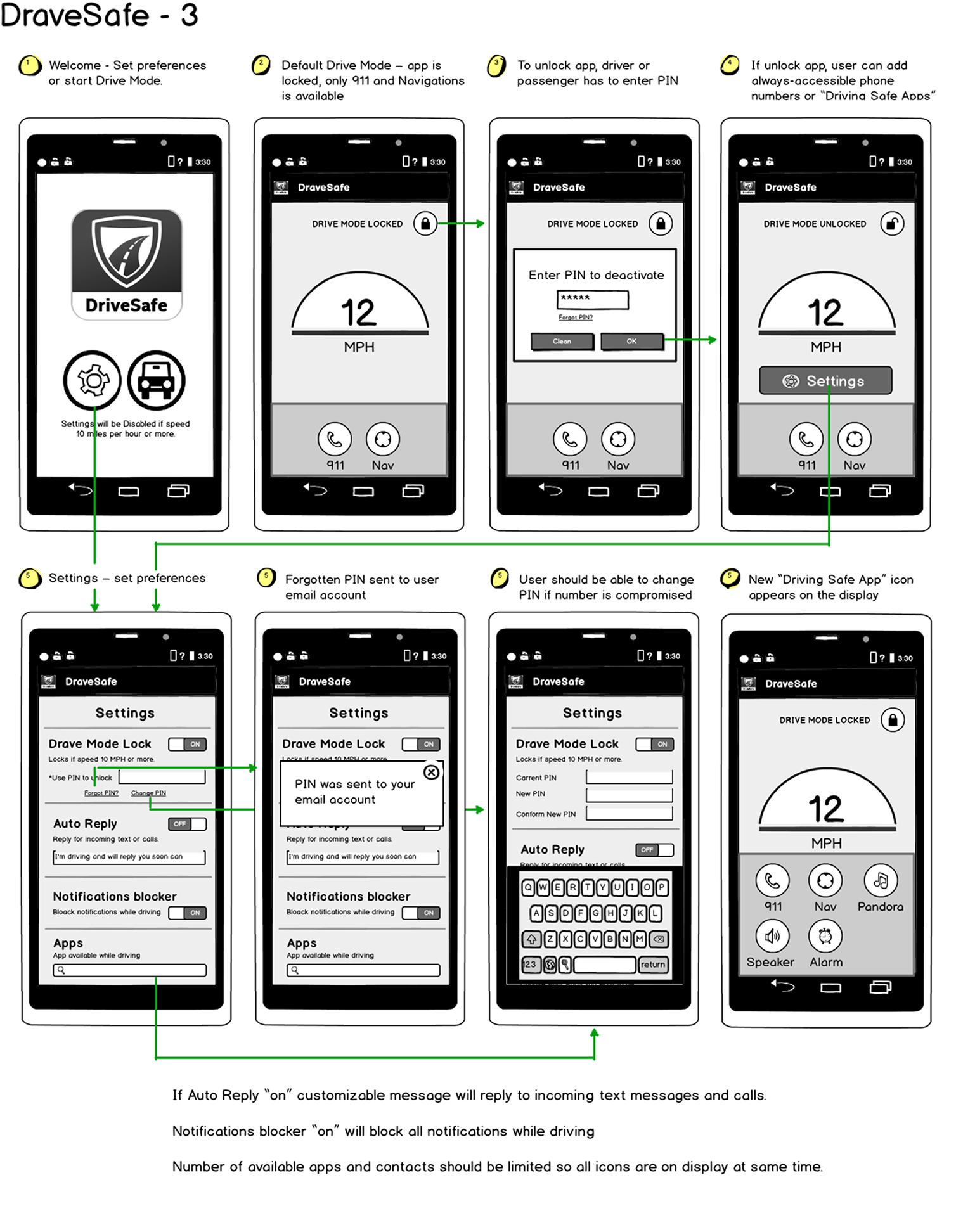
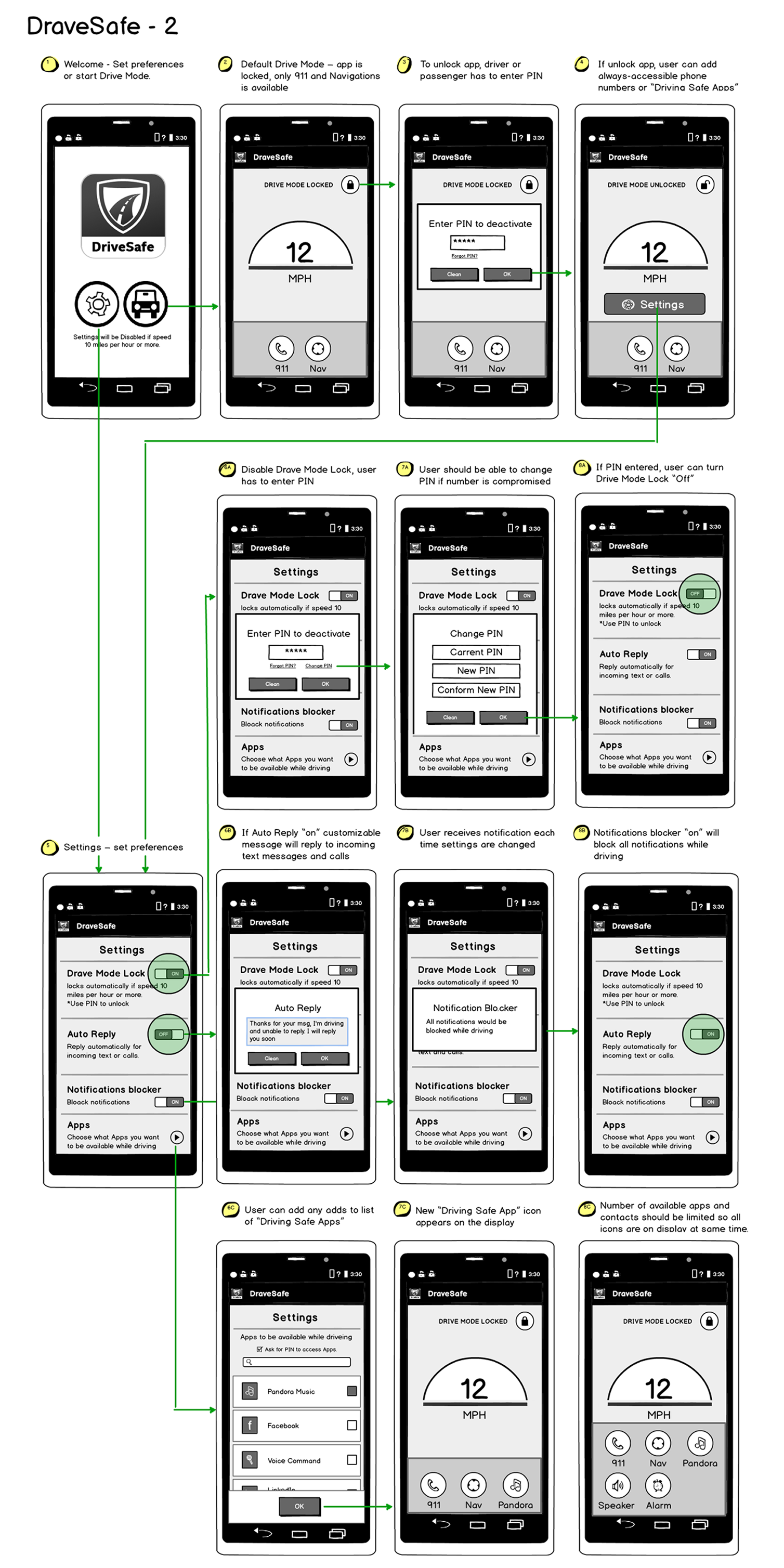
Wireframes focused on three critical flows: initial setup and app allowlist configuration, the driving-mode lock screen experience, and PIN recovery. Setup had to be fast, the lock screen had to be clear, and PIN recovery needed to work securely offline.
03Visual Design & Branding
The visual design aligned with McAfee's brand while pushing toward a more approachable, family-focused aesthetic. The driving-mode lock screen used strong visual contrast and simple iconography to communicate restriction clearly without being alarming.
04High-Fidelity Mockups & Promotion Materials
High-fidelity mockups covered the complete parent experience — from onboarding and app selection through the active driving-mode lock state. I also designed promotion and marketing materials for the app launch.
Mockups & Wireframes


Key Features
Designed around parent control and teen safety, each feature minimizes setup effort while reducing phone distractions on the road.
App Allowlist
Parents choose which apps remain accessible while driving — GPS, maps, and music can stay on while social media, games, and messaging are automatically blocked.
Automatic Driving Detection
DriveSafe detects when the device is in a moving vehicle and activates restrictions automatically — no manual action required from the teen.
Driving-Mode Lock Screen
When driving is detected, a clear lock screen replaces the home screen — showing only allowed apps and preventing access to restricted ones.
PIN Protection
A parent-set PIN prevents teens from disabling restrictions or changing the allowlist — with a secure recovery flow that works without an internet connection.
Quick Setup
The guided setup flow gets parents to a working configuration in minutes — app selection, PIN creation, and detection preferences in a clear two-step process.
Activity Visibility
Parents can review driving sessions and see when DriveSafe was active, giving them peace of mind without requiring constant manual monitoring.
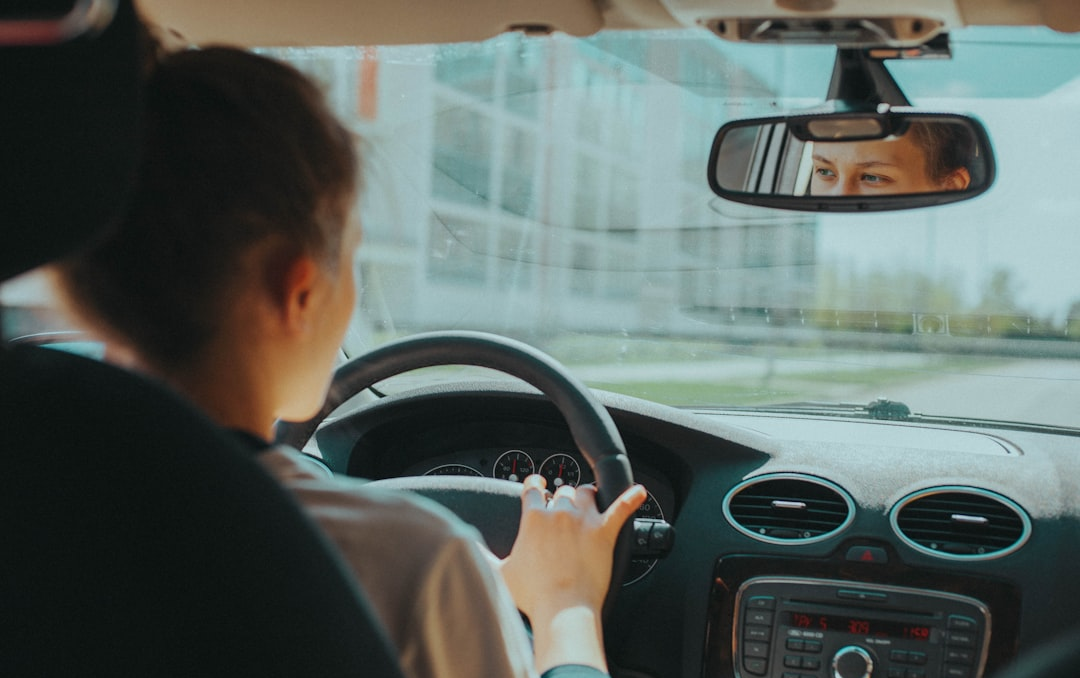
Parent setup — app allowlist configuration
Wireframes — setup flow and PIN recovery logic
Challenges & Constraints
- Automatic driving detection on Android required careful handling of passenger scenarios, public transit, and low-speed movement edge cases.
- PIN recovery had to be secure enough that teens could not exploit it, but accessible enough that parents could recover access without a support call.
- Android's fragmented device landscape meant the lock screen had to be tested across many screen sizes and OS versions.
- Balancing McAfee's enterprise-grade security brand with a warm, approachable family product aesthetic was a constant creative tension.
What I Learned
- Designing for two users at once — a parent configuring the app and a teen experiencing it — required keeping both mental models in mind throughout the entire process.
- The allowlist model tested far better than a blocklist model. It felt less punitive and gave parents a clearer mental model of what their teen could access.
- Driving-mode UX has an unusually high bar for clarity. If a teen cannot immediately understand what is happening and why, they will try to work around it.
- Promotion and marketing materials were a meaningful part of this project because the value proposition had to be communicated quickly and clearly.